Old People and Computers
If ever there was a sensitive topic to discuss, it would have to be about computers and old* people.
This article is really intended more for younger people who love and may care for older people in their lives. I'll discuss observations that I've made over the years from helping these older folks with their computers.
While I do a lot of business / commercial work, I do enjoy doing private / residential work as well. There's just not enough I.T. people that accept private / residential work so folks often have nowhere to turn. I enjoy helping people get the most from their technology, be that computers, phones, TVs, whatever.
* Writing style guides today consider the word "elder" and "elderly" as dated and patronizing, and recommend instead to use plain, neutral terms like "old", "older", etc. I've updated this article accordingly.
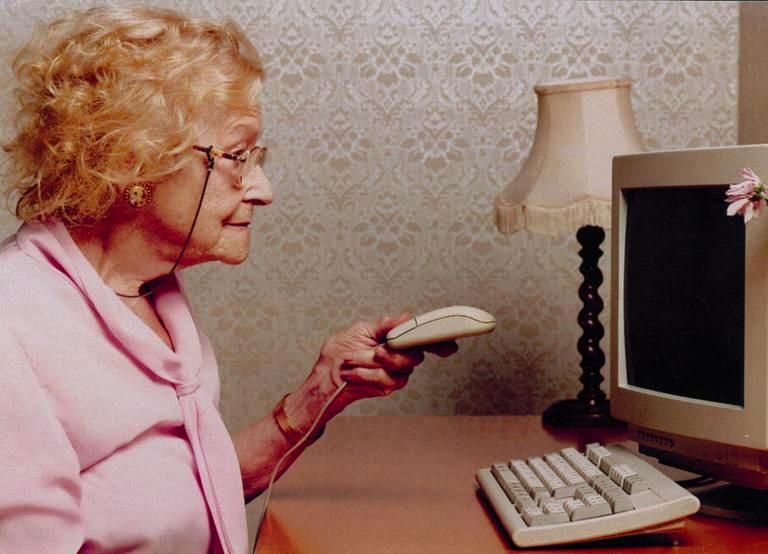
A fair number of my residential clients are older folks who didn't grow up with or use computers in their earlier years. And sadly, I've witnessed the cognitive decline of some of my older clients, people for whom I've worked for many years. They were competent enough years ago when our working relationship began, but I've witnessed declines as the years passed.
We as a first-world society are in an interesting and fairly new place right now with respect to computing devices, the critical importance they serve in life today, and the unfettered inbound and outbound access they facilitate. Never before was such a strange, unintuitive, and utterly inscrutable device in pretty much every home and also had the power to materially affect ones well-being.
Think of everything people do on a computer: Banking, email, social networking, research, playing games, job hunting, meeting people to date, the list goes on. Older folks do a lot of these things, too. But as cognition declines, the risk to older people from online fraud or just simply the inability to navigate the increasingly complex online landscape grows substantially.
Self-Serve at Your Service
So many aspects of life today is self-service. Some of it is for the better, but not all of it.
Dead simple, unskilled manual tasks were the first things to transition to self-service. Here's a short list of things that have been self-service for decades.
- Pumping gasoline
- Coin-operated laundromats
- Vending machines for single, simple product dispensing, like snacks, soft drinks, and cigarettes (which is no longer common)
- Cafeteria where patrons choose foods and place them on a tray then find their own seating
Then there's things that aren't so simple -- processes that have multiple failure modes such as retail self-checkout systems. Self-checkout is still an inconsistent experience across retailers, causing problems for all manner of customers.
But all that pales compared to the wholesale shift underway to what is essentially self-service by moving many of life's critical administrative tasks online. Duties such as dealing with government services, insurance, taxes, and other stuff.
Older people are affected the most by this.
Problems such as inconsistent interfaces, ambiguous wording, useless help screens, loading errors, and login problems are all sad features of many websites that we're forced to deal with today. And that's for people who aren't experiencing declining cognition or have other conditions that limit accessibility to these online systems.
Now just imagine how bad it is for people that do have declining cognition or other limiting conditions.
This is becoming a generational crisis for older people who are finding it increasingly difficult to use a computer or smartphone and who don't have someone in their lives to help them. Not everyone has kids they can call, reliable or otherwise.
Examples of life administrative tasks that we all need to so:
- Banking: Paying bills, verifying deposits, examining our statements for signs of fraud
- Healthcare: Keeping on top of our medical records, lab results, scheduling appointments, messaging with doctors
- Insurance: All manner of insurance products are handled online: viewing policies, purchasing coverage, filing claims
- Warranties: Filing warranty claims for a household appliance defect, assistance
- Government: Filing taxes, renewing licenses, requesting records, applying for benefits
- Travel: Booking flights, hotels, and rental cars. Keeping track of important documents, passports, visas, vaccination records
- Utilities: Starting or stopping service, monitoring usage, paying bills, requesting repairs
- Legal/Financial: Signing contracts, storing records, managing wills and directives
Even today, some of these things can only be performed online. As time marches on, more and more of these and other important personal administrative tasks will be accessible only online. Options for doing these things by visiting in person, by telephone, or by mail are shrinking fast and disappearing altogether.
For older people, or anyone for that matter, who cannot use a computer or smartphone are at a serious disadvantage. Society today simply does not accommodate these folks as it once did.
Your options here regarding the complexity of online life administration are limited. I'll go into that further down.
Online Fraud
Older people are more likely to be duped by bad actors operating online or by phone. Such cons take many forms. They may appear as any of the following and this is by no means exhaustive. There's no limit to the imagination of these scammers.
- Innocent looking text messages from unknown numbers that say "hello" or other benign things. Never reply to these.
- "Wrong number" texts where someone says "Great, then we'll meet for dinner at 6pm" or "Did you get the package I mailed last week?" or something similar, that feels like a wrong number. These are very nearly always the first step to a fraudulent enterprise. Never reply to these.
- While closing on a new home, you receive an email saying that wiring instructions have changed. This is a biggie. Always verify with your realtor or title agent by calling them and not by email.
- A technician from Microsoft, Dell, Norton, or whoever warning about a virus
- A foreign official with grave news about a loved one being arrested
- A friend who is traveling and lost all their luggage, passport, and money
- An officer of the court with bail instructions
- A person on a dating site that is showing interest and brings up the subject of money or investments
- A banking official who warns that an account is being hijacked and needs to verify some information to help prevent theft
- An IRS agent warning that taxes are due or even that a refund is coming and needs banking information to process
- The prince or deposed king has millions in assets and needs help transferring it from his country -- an oldie but goodie
- A lottery official offering congratulations on a big win but just needs fees and taxes paid in order to process the winnings
- Shipping notifications from the Post Office, UPS, Fedex, etc., advising that a parcel could not be delivered and to click a link to claim
- Requesting donations for a major disaster relief effort somewhere
- Email saying you've won a cruise or other vacation
- Email warning that you missed jury duty and must pay a fine to avoid arrest
- In-person delivery of a gift basket, wine, flowers, etc. and the driver needs to process your credit card to confirm your identity.
- and many more...
To be sure, plenty of younger folks fall for these scams as well, but older folks are more heavily targeted. They're more susceptible as they tend to be more trusting having not grown up in an environment of online suspicion, perhaps lonely, generally have more money, and may suffer from declining cognition. It's a perfect storm for abuse.
Many of these scams are delivered over the computer through email or social networks in addition to the telephone.
There's an excellent line from David Mamet's moody and noir 1987 film House of Games where the main character, Mike, a smooth-talking grifter, explains the heart of the con to our protagonist: "It's called a confidence game. Why? Because you give me your confidence? No. Because I give you mine." Con men give you their trust. That's the hook! Being offered someone's trust is a powerful feeling of self worth and it's human nature to return it. This movie is a must-see.
Just as many older people reach the day when they can no longer safely operate a motor vehicle or live alone, so too may they reach a day when the computer is too unsafe. Or at the very least too complicated to use. In the case of the latter, perhaps an iPad with it's somewhat-reduced functionality and simpler interface might be a good alternative.
An iPad is easier to use, can be locked down in ways that a regular laptop or tower computer cannot, it's highly portable for easy use all over the home, and far less likely to have technical problems that a non-I.T. person could likely never fix.
And because it has a significantly larger screen, you don't have to constantly scroll up/down and fuss about trying to access the features of a website that you need to visit. In fact, many websites present a laptop/desktop interface when they detect that you're on an iPad.
Preventative Measures
If you have an older loved one in your life that you are worried about there's a few things you can do:
Regarding Email
Ask your older person for their email password (and explain what you want to do) and regularly check their email for any sign of scams. Look in the inbox for scammy email -- and the sent folder as well to see if they responded to any scams. Simply delete any scammy email you see in the inbox. If you see a reply in the sent box, contact the older person immediately. I recommend converting them to Gmail as their spam and scam filters work well -- better than most. If you don't want to constantly log into their email, you may want to set up a forwarding rule that sends you a copy of everything they receive. Gmail allows this.
Many older people, most especially those experiencing cognitive decline, have an already established but shrinking circle of friends with whom they may communicate. New contacts are rare to non-existent.
With that in mind, another suggestion is to create a brand new Gmail account for your older person and give that new email address to family and closer friends. Why? Older email accounts that have been in use for many years, especially on less robust services like AOL, Yahoo, or the ISPs free email, tend to attract a lot of spam and scams and do little to filter them out. By setting up a new, fresh email account, there will be no incoming spam or scams, at least for a good while.
I strongly recommend using Gmail. It has the best spam/scam filtering and forwarding tools that help you monitor their inbox. If you do this, be sure to update the email address on all the their websites that require an account, such as their bank.
Regarding Telephone, Mobile and Landline
As with email, there are ways to make the phone safer. You have lots of valuable options here, some of which you may not be aware of.
First of all, advise your older person to not answer or to hang up on absolutely anyone who calls that they don't personally know. But especially if cognition is declining, they may not remember to do that.
Here are some things you can do that don't rely on the older person remembering to "do the right thing".
You might consider changing their phone number to a fresh number then give that number to important people. Most long-time phone numbers that are associated to older people get a ton of targeted fraud calls and telemarketing. A fresh number can fix that.
When a phone number is cancelled by someone, it goes into a cooldown period of 30-60 days, sometimes longer depending on the carrier. Some VoIP* and MVNO* providers let you choose from a relatively new block of prefixes that may be totally new.
For iPhone (and probably Android), you can configure the settings to silently send all unknown callers (anyone not in contacts) to voicemail. This will prevent voice-based fraud. You can make that even more bulletproof by disabling voicemail. This, effectively, turns the phone into an invitation only mode of contact.
There's a similar feature for text messages where any incoming text from an unknown person (again, anyone not in contacts) will be silently filtered to an "Unknown Senders" folder, which is not normally visible. Just don't teach your older person how to check the folder.
Using all these options, new number and unknown caller filtering, could well eliminate most or all voice and text-based fraud. Use them!
Some mobile phones display "possible scam or spam" for unknown numbers, which always gave me a good laugh. If my phone showed me that, I certainly would not answer. But for someone with declining cognition? Better not to see the incoming call at all.
There are also ways to prevent robocallers from getting through.
* VoIP (Voice over IP) landline providers include companies like MagicJack, Oomo, Vonage
* MVNO (Mobile Virtual Network Operator) cellular providers include Consumer Cellular, Cricket Wireless, Mint Mobile, and others. They lease unused capacity from the big three carriers.
Banking
Have your older person add you to their accounts so you can monitor them for any suspicious activity. Talk to the bank to see if you can disable outbound wire transfers. There's no reason the average older person needs to randomly wire out money. Or set it up where both you and the account holder must visit the bank in person to perform a wire transfer.
See if you can restrict certain account privileges, limiting the older person's ability to clean out the account on the orders of a scammer. Ask about automatic alerts with an approval step that can warn you if too much money is attempting to leave the account in a short time or to oddball merchants. These are all signs of a scam.
If the bank won't help, threaten to change to a bank that will. This sort of pressure will eventually force banks to offer more effective anti-fraud services to their older clientele. A small community bank or credit union is often more likely to help than a giant monster megabank (as Clark Howard likes to say).
Guardianship
This one is a biggie and really meant as a last resort. If your older person is pretty far along the road of cognitive decline to the point they are a danger to themselves physically or financially, then you can ask the court for guardianship. This may sound drastic but may be necessary to legally protect their well-being.
Many older people fiercely cling to independence and resist family involvement, often due to stubborn pride or because they do not recognize or acknowledge their own impairment. That loss of autonomy is a tacit acknowledgment that perhaps age is finally taking it's toll and so they may resist. It's a sad, messy thing.
As a court-appointed guardian, you are a legally obligated fiduciary, empowered to act in the person's best interest even when they disagree. At that stage, the goal is not preserving autonomy, but preventing irreversible harm.
The November 2015 issue of Consumer Reports magazine has a feature article on this topic entitled "A Crying Shame: Seniors and their families lose $3 billion a year to con artists. What can we do to stop them?" That's a pretty old article by now and the loss figures today are much higher. But the article is still salient.
Snail Mail
Nearly every entity today that people do business with would much rather not mail physical documents. They'd much prefer you receive all that via email or by logging into their web portal. For people that are computer competent, that's fine.
But if your older person is becoming less computer proficient then make arrangements to have bank statements, bills, mortgage statements, tax and insurance information, and anything else, physically mailed to the person instead. You know, how it was back in the day. Some of these entities may flat out refuse. Others may charge a fee for doing so. And still others may be legally required to comply if requested, especially if it's a regulated business.
If you encounter companies that refuse to mail paper documents and that specific company isn't critically important then cancel the service and move to one that is more accommodating.
The beauty with paper documents that come in the mail is there's no issues logging in, no having to navigate incoherent user interfaces that are different for every site, reduced opportunity for fraud, and is immune to computer problems. What's not to like?
Final Comments
Use the forementioned preventative measures carefully and only when indicated. Not all old people suffer from declining cognition! Lots of people make it to a ripe old age while still holding all their marbles. These folks might benefit from hearing some anti-fraud reminders, just as all of us would, but don't necessarily need any special mitigative attention.
But older people, or heck anyone, experiencing irreversible and advancing cognitive decline, could benefit from these preventative measures.