Extend Your Reach
Business owners have more options than ever today on how, where, and when to do business. Mobile computing has literally changed the landscape as you can now work "from anywhere".
For example, I can remote control into a client's computer while sitting at a rest stop along an interstate highway. As an I.T. professional, that gives me additional options for helping a client that may be having an issue that can't wait till I get back to my office. That's just one example of how remote computing has changed how and when we work.
Similarly, mobile computing can change and enhance how you work and how you may be able to help your clients. In today's mobile society, there's increasingly an expectation that you, too, are participating in that same mobile society.
Successful business owners meet their clients at their client's convenience. And today that convenience often extends outside the traditional business ways practiced back in the day. So, depending on your line of business and who your clients are, you may need to embrace the bold new world of mobile computing.
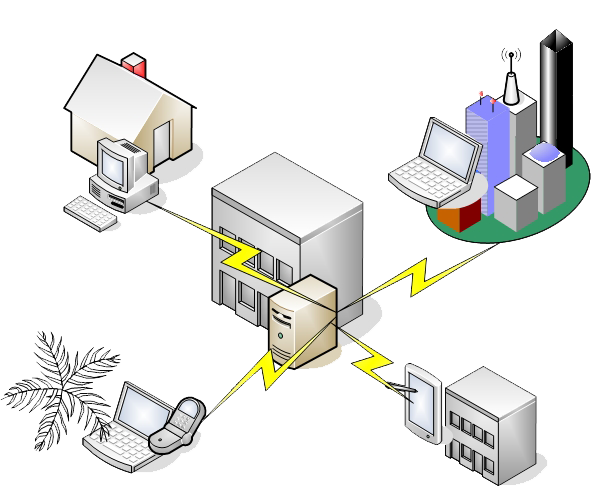
Access office network remotely
Virtual Office
Mobile computing isn't only about meeting your clients at their convenience. Many of my clients maintain a regular office but also want the flexibility of working from home or from a distant location. Word from home was already taking hold in the aughts but COVID19 really kicked that into high gear.
Home offices are very popular today, enabling business owners and employees to get things done without necessarily driving to the office. With the proper setup, a business owner or employee can duplicate the office experience at home or wherever they are. That includes access to business files, the computer at the office, and in some circumstances, even extending the office phone system to the remote location.
Some of these conveniences can extend to any location you find yourself, such as a hotel room while away on a business trip. Or even on vacation if you simply cannot unplug entirely.
Tool and Methods
Tools to do this include VPN, cloud services, hosted email clients, remote access software, VOIP telephony, and other methods to extend your office environment according to your needs.
File Syncing: Files can be synchronized between your remote computer and office computers. For some use cases, files may be synchronized on your smart phone or tablet as well. Dropbox, Google Drive, and Microsoft OneDrive are examples of synchronization services that makes your files available anywhere. There are others. Each of these solutions have their pros and cons, so it's not just a simple "pick one" decision.
Remote Control: File syncing works fine for stand-alone files, such as Word, Excel, PDF, Photos, etc. But it's usually impractical for database files that are managed by a database engine. e.g. A medical records database that resides on an office server might not be syncable to remote computers. Another example is access QuickBooks that's on a shared office server. In these cases, you can "remote into" your office computer or even to the server itself using various products, some of them free. It's like sitting in front of your office computer.
Cloud-Based: Things that are cloud-based (hosted by a service provider) can be used pretty much anywhere. Gmail is my go-to example. You can access your email from anywhere on any device. Increasingly, other software categories are being moved to the cloud. You can now edit Word and Excel files in the cloud. You can access QuickBooks using Intuit's cloud-based offering. CRM software is increasingly cloud-based, and more. Some software will always be better on your local computer, but many things also work in the cloud.
I can evaluate your present business universe -- where you are now and where you'd like to be, and prescribe solutions that will take you there.